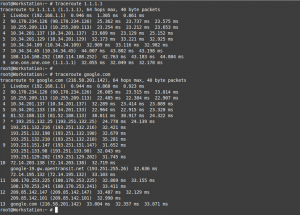
Troubleshooting network issues with simple commands is not a very difficult topic once there is a little toolbox to pull from. Needless to say networking topics can be very complicated and any specialist on the field will tell you how cumbersome it can really get. However with a few set of commands one can get […]
A few useful network commands

Web credentials stealing
The theft of credentials has been occurring since almost the beginning of time. But of course when the web ‘happened’ and specially when e-commerce exploded stealing passwords also went on the rise. Emptying bank accounts, ordering stuff on behalf (and expenses) of others, spying, even impersonation was and is achieved by stealing credentials. Luckily for […]
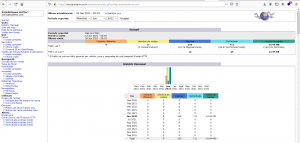
How to install AWStats on FreeBSD 13.0
AWStats is a very powerful and useful software allowing webmasters count the visits to their managed websites. The tool is basically coded in Perl and it was a very popular choice before Google made it way easy when they launched their Google Analytics tool. However, nowadays not everyone is using Google Analytics services and even […]
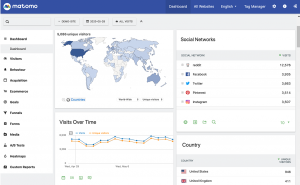
How to install Matomo 4 on FreeBSD
Why would anyone need to install Matomo 4 on FreeBSD? Because you’re the admin of a website, or a few of them, and you want/need to count the visitors, how long do the stay looking at the content and some other fancy stuff. This is what Matomo does. But it also does this without you […]
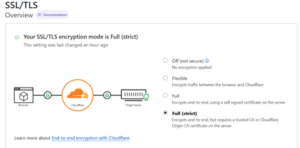
How to enable TLS traffic from the origin server on Cloudflare Argo Tunnel
As it can be read in the last post, setting up a Cloudflare Argo Tunnel to serve web content from home or corporate network without poking holes to it, is quite easy to achieve. In this article I’ll show you how to enable TLS traffic from the origin server on Cloudflare Argo Tunnel. Obviously, you […]
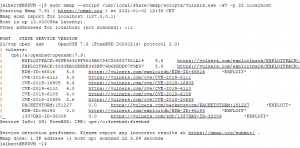
How to patch OpenSSH in FreeBSD 12.2
The default version of OpenSSH in FreeBSD 12.2 today, and it’s been this for quite some time, is not the most recent published by the OpenBSD guys, which by the way are the ones developing OpenSSH. Not only is not the latest but it has a few vulnerabilities affecting it, medium risk ones but nevertheless […]
Abandon Linux. Jails for developers.
Reading the title you might think I want to put developers in Jail and although some may be good candidates this is in the far opposite of my intention. I am talking about FreeBSD Jails. For the unfamiliar with the concept those Jails are userland secure contained environments that share a common kernel. Purists and […]
FreeBSD Jails
The FreeBSD jails is a virtualization technology you may have skipped for too long. It is an operating system level virtualization and is one of the differential characteristics of FreeBSD from Linux. Solaris took it to the main corporate use with Zones and as it couldn’t be any other way the Illumos folks also play […]

How to install Docker on Ubuntu 18.04
Operating System level virtualization is hitting hard now, as much as VM’s did just a few years ago. Docker is the popular framework for this matter, the new kid on the block so to speak. This is the hot spot now and if anyone wants to appear knowledgeable about system administration knowing this technology is […]
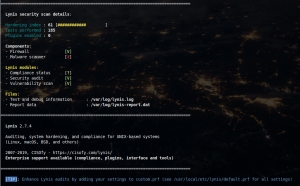
Lynis or how to quickly audit your system’s security configuration
A colleague of mine pointed me out to Lynis, a system’s configuration audit tool which checks the hardening of any running UNIX or UNIX-like system, including the BSDs. This tool has a built in check list and a set of sane and safe configurations and compares them to the target system. As output we find […]